No app required
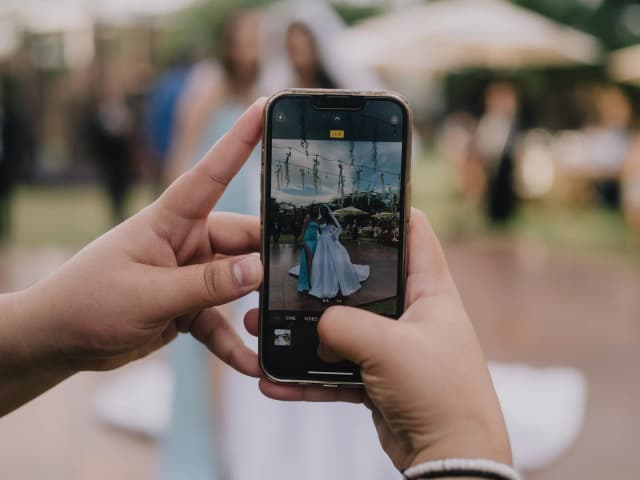
Guests upload straight from their browser.
Wedding photo sharing · No app needed
Toast Album gives your guests one simple place to share the photos already on their phones.No app. No guest account. Just scan, upload, and enjoy every candid moment in one private gallery.
Free to start · no credit card required · Australian-owned

Guests upload straight from their browser.
Scan the code and start sharing.
Your event photos stay with the people you invite.
Download the original photos guests uploaded.
How it works
From first setup to the final download, every step is designed to feel obvious.
Set up your private gallery in minutes, add your event details, and choose how you want guests to share.
Download your QR code or customise a printable sign and place it where your guests will see it.
Guests scan with their phone camera, choose their photos, and upload directly in the browser. No app. No login. No fuss.
After the celebration, view the gallery and download the original photos your guests shared.
 Every guest sees a different moment.
The moments between the moments
The laugh at the bar. The table selfie. Your grandparents dancing. The photos from the morning that never make it into the group chat.
Your guests will already take hundreds of photos. Toast Album simply gives all of those memories one place to go.
Why choose Toast Album
Your gallery is not a public social feed. Share a private event link and add an optional passcode when you want another layer of control.
Your guests are there to celebrate, not download software or create another password.
Toast Album keeps the original files your guests upload so you can download each memory as it was captured.
Choose an editable design and export a high-resolution PNG, A5 PDF, or A4 two-up PDF ready to print.
The same private event link powers your printed signs, guest upload page, and gallery sharing flow.
Start free, test everything before the day, and upgrade the event only when you need more capacity.
Toast Album works like a guest photo app, but guests open it straight from your QR code with their phone camera, so there's nothing to download and no account to make.
A better way to collect wedding photos
Give every guest one clear destination instead of asking them to remember where—and how—to share later.
| Feature | Toast Album | Group chats | Shared albums & folders |
|---|---|---|---|
| Guest setup | Scan and upload in the browser | Guests need to join the conversation | Guests often need an account or the right permissions |
| Collection experience | One wedding-focused upload flow | Photos mix with messages and replies | General-purpose photo or file storage |
| Privacy model | Private event link with optional passcode | Visible to everyone in the chat | Depends on the album or folder settings |
| Photo files | Original uploads preserved for host download | Some chat apps compress shared photos | Originals may be available, depending on the service |
| Wedding QR signs | Editable printable designs included | Requires a separate QR and sign workflow | Requires a separate QR and sign workflow |
| After the wedding | Gallery plus individual and ZIP-part downloads | Memories can be difficult to retrieve later | Files still need organising |
From QR code to gallery
Place your code where guests naturally pause. Their normal phone camera takes them directly to your event.
Clear, wedding-ready directions guests can spot across the room.
Choose photos and see clear progress directly in the mobile browser.
Every guest perspective arrives together in one calm, private collection.
Retrieve original files individually or in one streamed ZIP on supported browsers, including iPhone and iPad.
Make it easy to spot
Choose a Toast Album printable design, personalise the wording, and export it ready to print. A clear sign tells guests exactly what to do: Scan to add your photos.
Explore wedding photo QR code signsWedding photo-sharing guide
Wedding QR photo sharing works best when the invitation is simple, the link is private, and the entire flow has been tested before the room fills.
Browser-friendly gallery previews stay separate from the untouched host download.
Create the event before the wedding and add its QR code to a welcome sign, table card, invitation, or screen. Guests follow the private link, select photos from their phone, and see clear upload progress. Everything arrives in the event gallery instead of being scattered across different chats and folders.
A reception is a poor time to ask relatives and friends to install software, remember a password, or join another network. A browser-based upload keeps the request small: scan the code, choose the photos, and send them. Guest numbers are not capped; the selected plan sets photo and original-storage limits.
Toast Album galleries are not public profiles or searchable albums. Access comes from the private event link you share, with an optional passcode for extra control. Guest upload and gallery pages are excluded from analytics and search indexing, while hosts manage the event through their own account.
When a guest uploads HEIC or HEIF, Toast Album retains that original for host download and creates a separate browser-friendly preview where needed. After the wedding, supported browsers, including Safari on iPhone and iPad, can stream the collection into one ZIP, with bounded numbered parts elsewhere.
Put signs where guests naturally pause: beside the guest book, on dining tables, near the bar, or on a screen before speeches. Use a short instruction such as “Scan to add your photos,” then test the printed code from a normal standing distance in the lighting you expect at the venue.
Plan it once. Enjoy it on the day.
Create your event before the wedding, scan the QR code on both iPhone and Android, upload a couple of test photos, and check the gallery and download flow.
Once you know everything works, print your signs and let Toast Album do the rest.
Common questions
No. Guests scan your QR code and upload directly through their phone’s browser.
No. Guest accounts are not required to upload photos to your event.
No. Toast Album event galleries are accessed through the private event link you share. You can also add an optional passcode.
Yes. Toast Album includes editable printable QR designs with high-resolution PNG, A5 PDF, and A4 two-up PDF exports.
Toast Album preserves the original uploaded files for host download while using separate browser-friendly previews where needed.
Toast Album is designed for modern mobile browsers on both iPhone and Android. Hosts should still test their own event QR code before printing final signs.
No. Toast Album collects photos in JPEG, PNG, GIF, WebP, HEIC or HEIF format. Video uploads aren't supported.
Toast Album does not charge or cap you based on the number of guests. Your selected event plan determines the photo and storage capacity.
Your first event is free with 50 photos. Paid plans are a one-time A$49 for 500 photos or A$79 for 2,000 photos per event, with no per-guest fees.
Yes. Your first event is free, so you can create it and test the guest experience before deciding whether you need a paid plan.
Your private gallery is minutes away
Create your private Toast Album gallery, test the full guest experience, and have your QR code ready before the celebration begins.